

Customer Journey
1
Customer opens the link
The customer clicks the payment link URL you shared. Quidkey loads the hosted checkout page showing the merchant name, payment amount, and reference.
2
Customer fills in their details
The checkout page presents a form where the customer enters: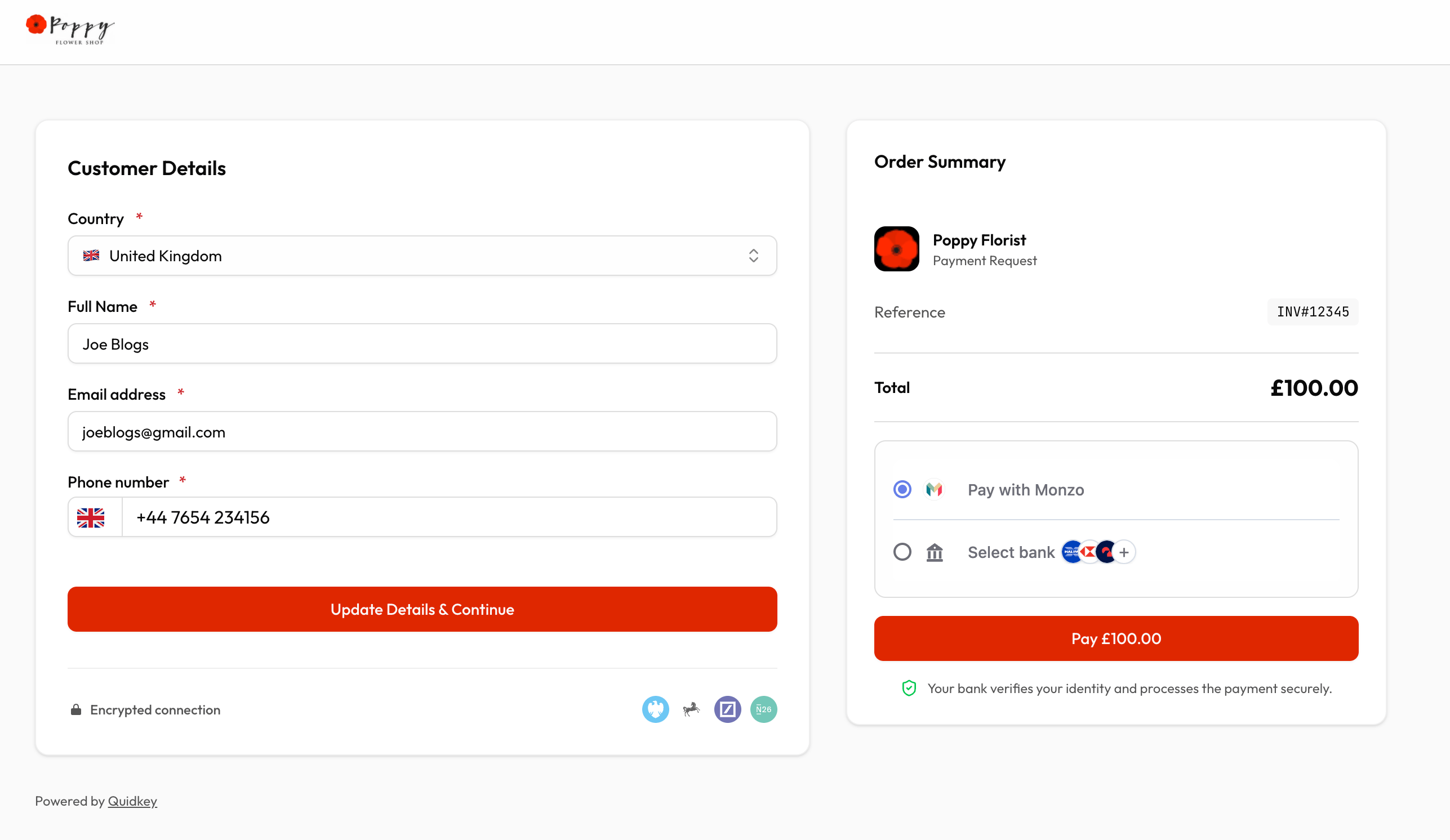
- Full name
- Email address
- Phone number (E.164 format)
- Country
3
Customer selects their bank
After submitting the form, Quidkey’s bank selection iframe appears. Quidkey automatically predicts and pre-selects the customer’s bank based on their country and information. The customer can change the selection if needed.
4
Customer authorizes at their bank
The customer is redirected to their bank’s authentication page (or mobile app) to approve the payment. This is the standard Open Banking authorization flow: the bank verifies the customer’s identity.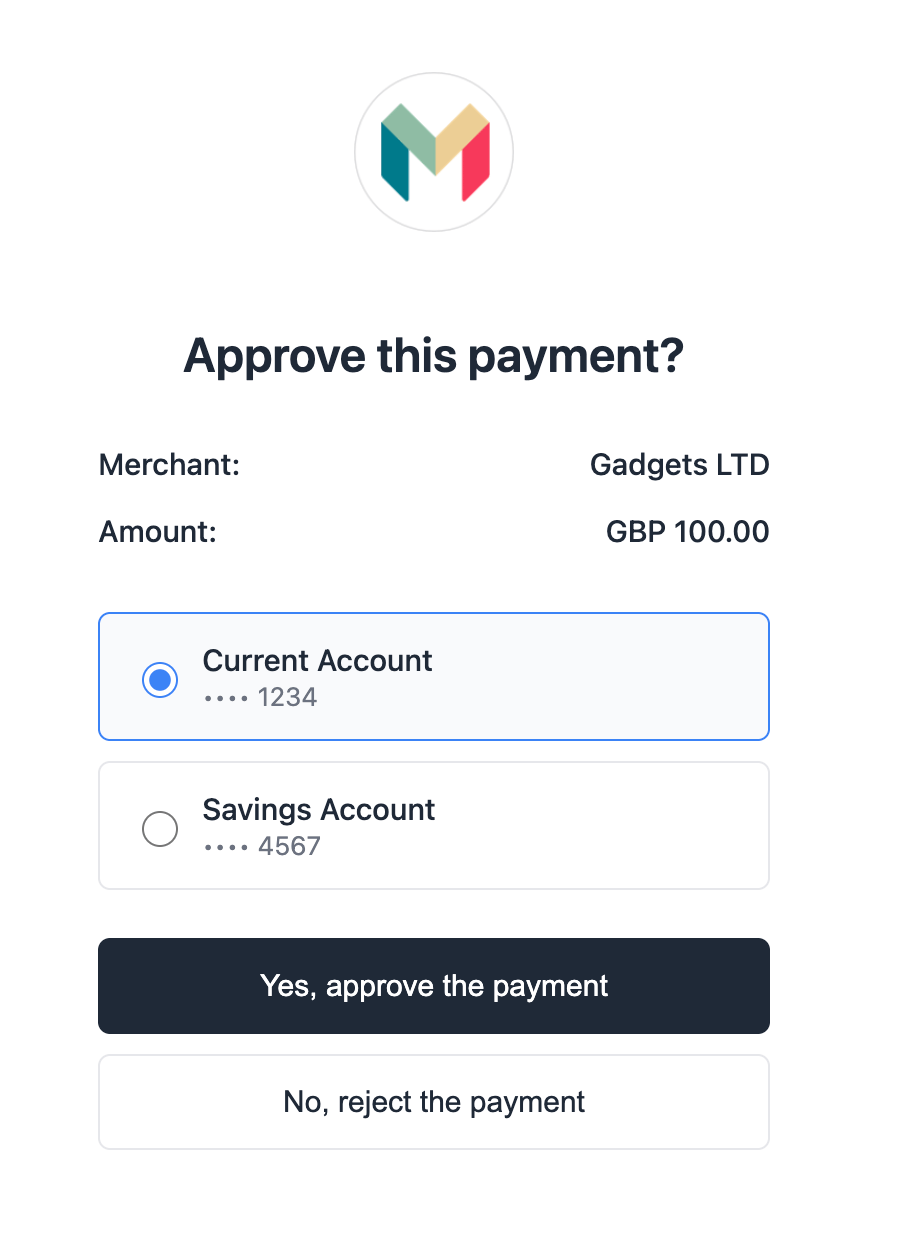
5
Payment complete
After authorization, the customer is redirected to a success or failure page. If the merchant provided custom 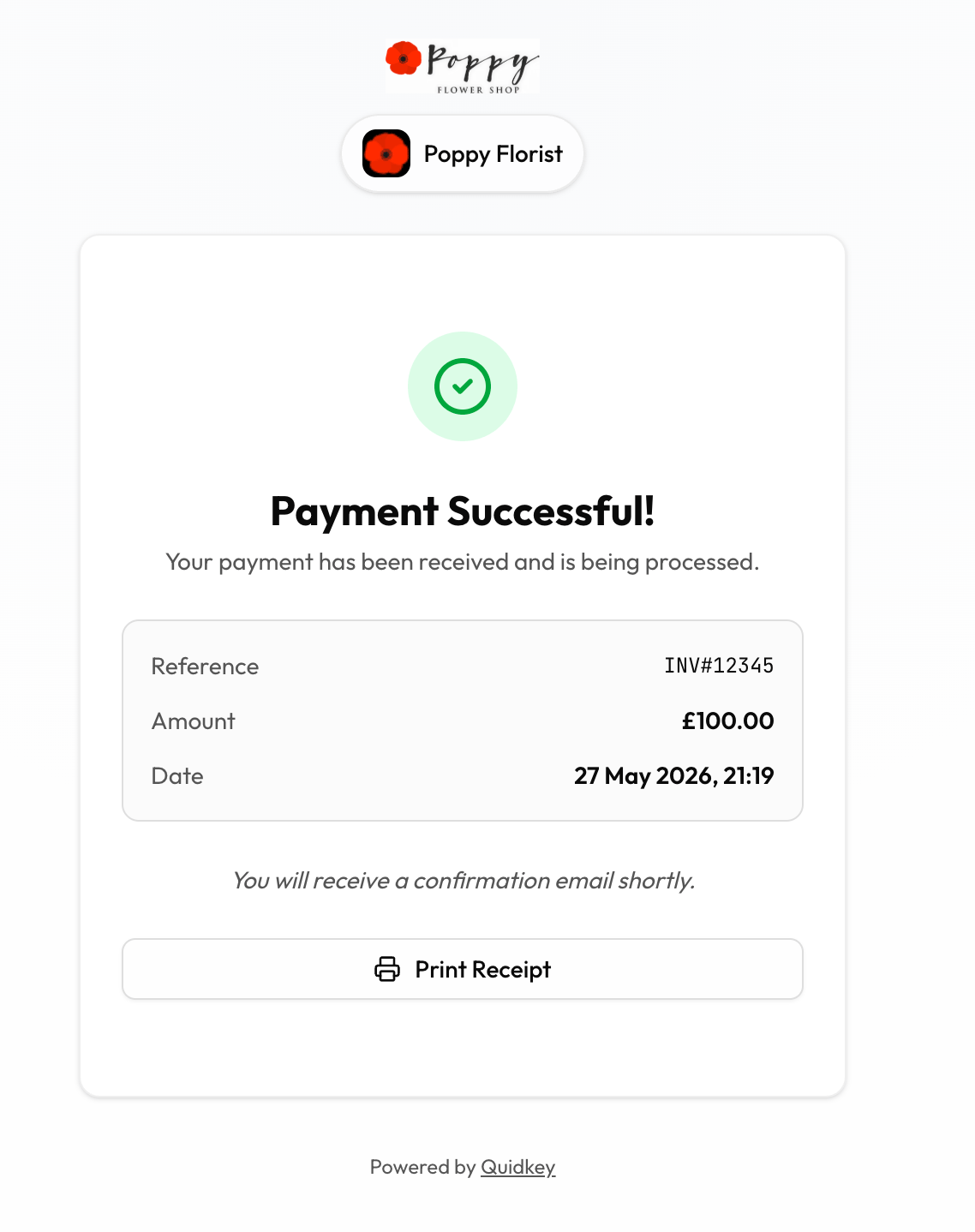
redirect_urls when creating the link, the customer is sent to the merchant’s site instead of Quidkey’s default pages. You receive a webhook notification with the payment result regardless of redirect configuration.Checkout Page Layout
The checkout page uses a responsive two-column layout:
On mobile devices, the layout collapses to a single column with the order summary above the form.
Re-confirmation Support
If a customer has already submitted the form but hasn’t completed the payment (e.g., they closed the bank app), they can return to the same link and update their details. The checkout page allows re-confirmation. Submitting the form again creates a new payment request with the updated customer information.Status-Based Display
The checkout page adapts based on the payment link’s current status:
Only
ACTIVE links show the payment form. All other statuses display an informational message.
Security
The hosted checkout page is designed with security in mind:- Token-based access: links use 256-bit cryptographic tokens. The token is hashed (SHA-256) before database lookup, so raw tokens are never stored.
- No sensitive data exposure: the public checkout endpoint only returns the merchant name, amount, currency, and reference. Internal IDs, merchant IDs, and tracking data are never exposed.
- Bank-grade authentication: customers authorize payments directly in their bank app. Quidkey never sees banking credentials.
Next Steps
After Payment
Track payment status and manage your links
Create a Checkout Link
Generate and share your first checkout link