

Prefer to integrate programmatically? Developers can create the same links via the API. See Create a Checkout Link.
Step 1: Create the payment link
1
Open Payment Links in the Console
Log in to the Quidkey Console, go to Payment Links, and click Create Payment Link.
2
Enter the payment details
Fill in the link details: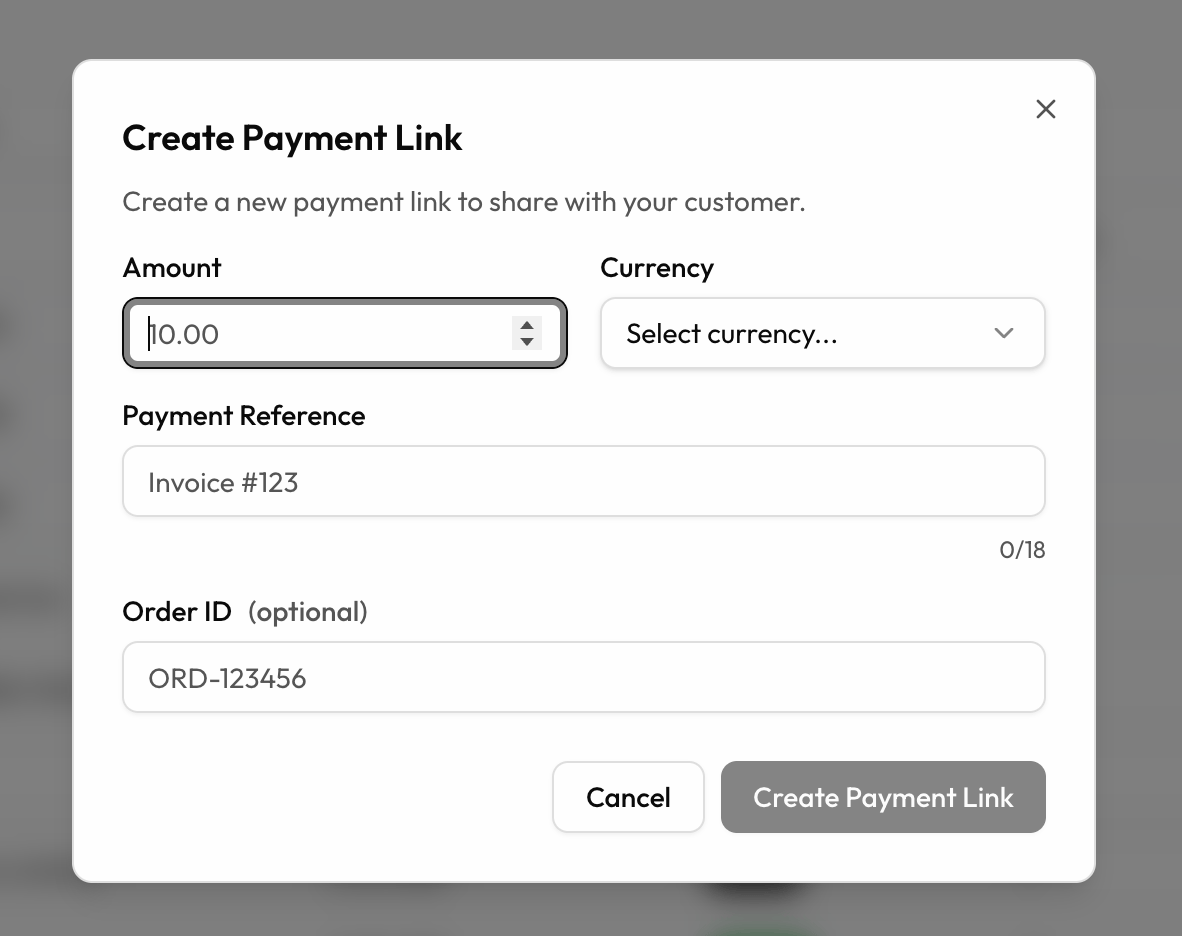
- Amount — the amount you want to collect
- Currency — the currency for the payment
- Payment Reference — appears on the transaction and the customer’s bank statement (e.g. an invoice number, up to 18 characters)
- Order ID (optional) — your own internal reference for reconciliation
3
Generate the link
Click Create Payment Link to generate your link.
Step 2: Copy and share the link
Once the link is created, click Copy Link and send it to your customer however you like, by email, SMS, messaging app, or include it in an invoice.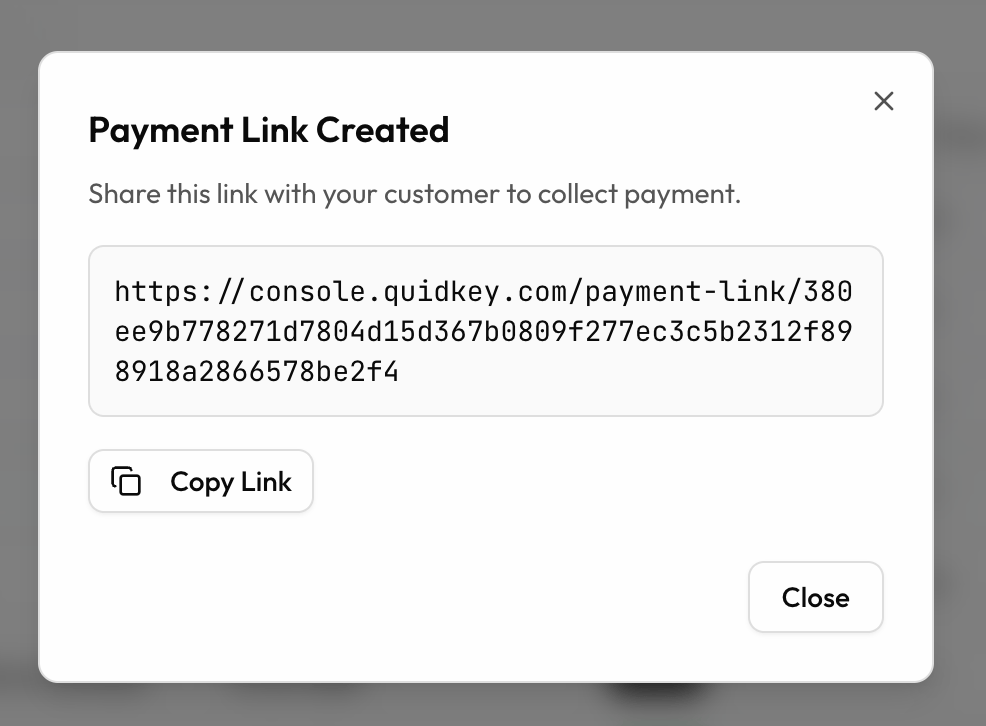
Step 3: Your customer completes the payment
When your customer opens the link, they land on a fully branded checkout page where they enter their details and confirm the payment in their banking app. Quidkey predicts their bank automatically, or they can pick it from the list. The whole thing takes a few seconds, with no card details and no account creation.See the full customer journey
Walk through exactly what your customer sees, step by step.
Step 4: Payment confirmed
As soon as your customer approves the payment in their banking app, it is confirmed instantly. They see a confirmation page, and the payment appears in your Quidkey Console straight away.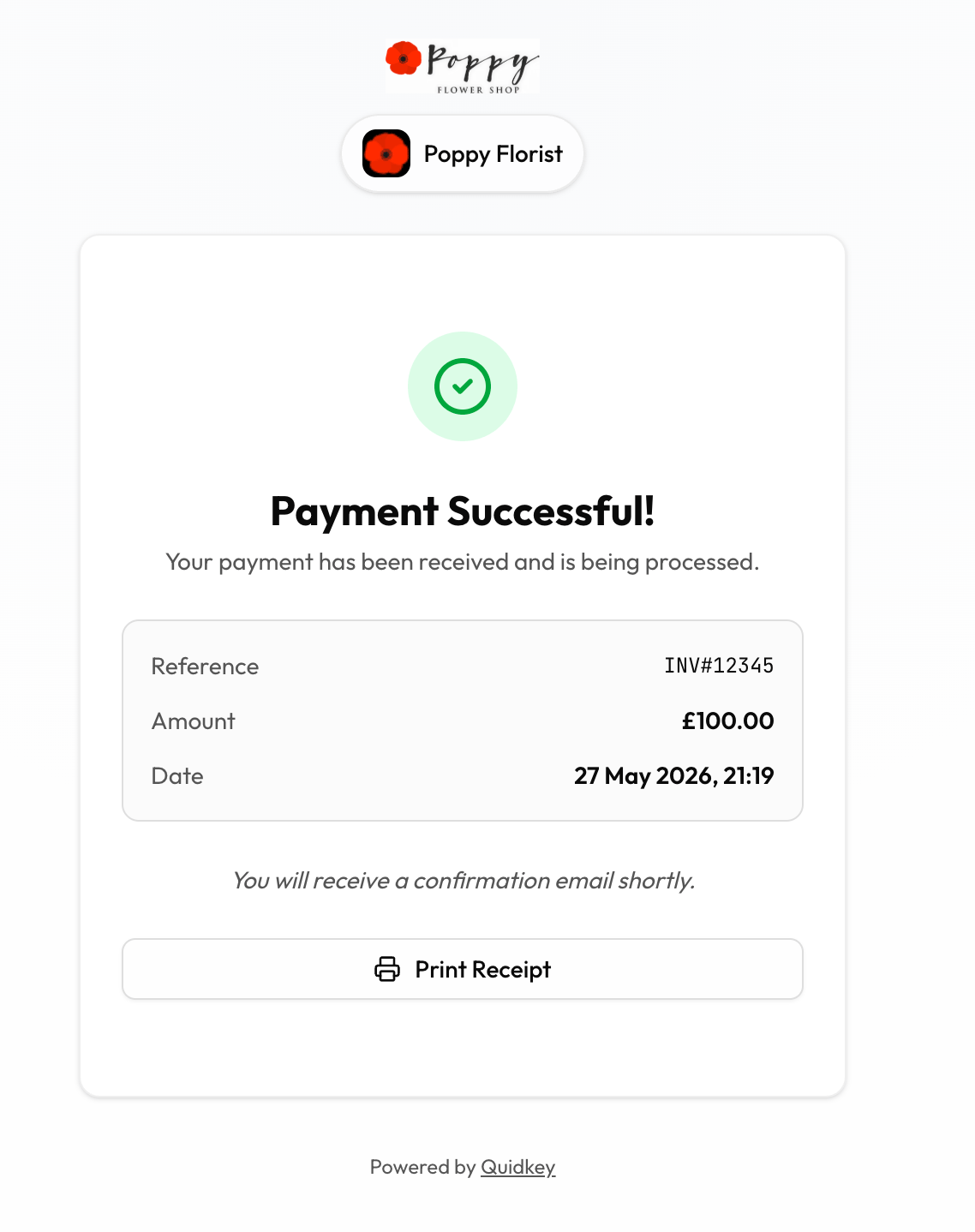
Next Steps
Checkout Experience
What your customers see when they open a payment link
After Payment
Track status and manage your links
Create via the API
Generate links programmatically with the Quidkey API
Overview
Payment Links overview and lifecycle